WordPress Lite Mode: A Lighter, More Readable Website (2026)
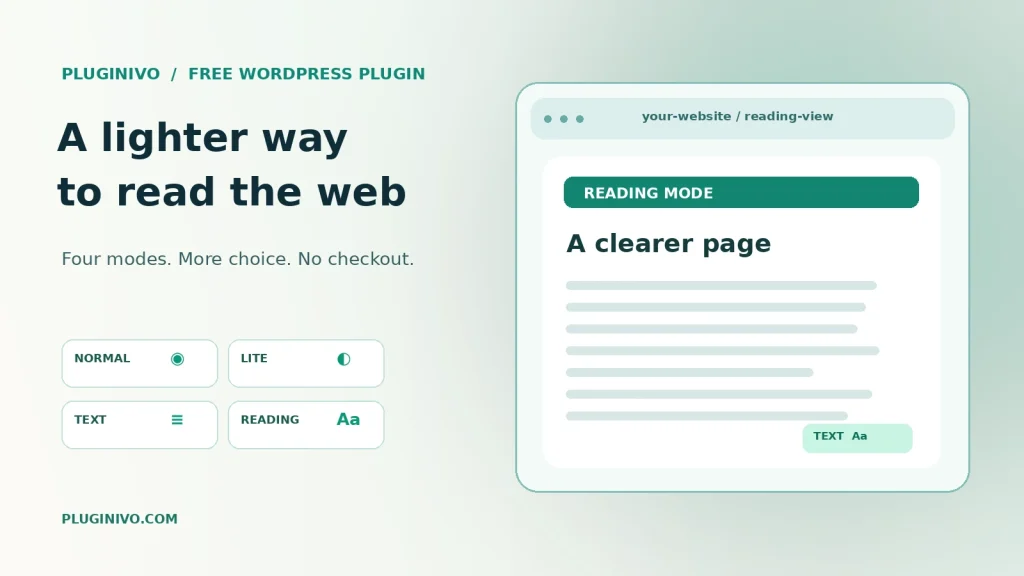
Not every visitor has a fast, unlimited internet connection — and not everyone wants the same page layout. Heavy media, distracting page elements and small text can make reading difficult even when a website technically loads correctly.
For another practical perspective on optional reading modes, see saving bandwidth with WordPress Lite Mode.
This guide explores practical ways to create a lighter, more readable WordPress experience without replacing your entire website design. It also shows when a visitor-selectable Lite or Text mode can be useful and what you should test before enabling one.
Try it free: P-ivo Lite Mode for WordPress is a completely free plugin with Normal, Lite, Text and Reading modes. Explore its live demo to understand what visitors can choose. No purchase, account or license is needed for the plugin.
Why offer a lighter version of a website?
Visitors may browse on mobile data plans, crowded Wi-Fi, older devices or unreliable networks. Others simply prefer a quieter reading layout. An optional lighter mode can make content more comfortable to access, especially when large images or embedded videos are not needed for the task at hand.
That does not mean every page will become faster by the same amount. Savings depend on the theme, image formats, server configuration, caching, the connection and the page’s original media. Measure real pages instead of promising a fixed percentage.
The four visitor modes explained
| Mode | What visitors get | Best suited to |
|---|---|---|
| Normal | Original page appearance | Visitors who want the standard site |
| Lite | Supported images can be reduced; suitable embeds load on demand | Slower or metered connections |
| Text | Content-first view with useful image descriptions where available | Reading text without most visual clutter |
| Reading | Controls for text size, spacing, width and light/dark appearance | Long guides and personal reading preferences |
The original view remains available. Visitor preferences can be kept in the browser, rather than requiring an external account or analytics integration.
Where Lite Mode is most useful
Documentation and knowledge bases
Long tutorials benefit from fewer interruptions. Readers can focus on instructions, steps and code examples while preserving access to the original design if needed.
News, blogs and editorial websites
A reading-focused layout can help people follow long articles without competing animations or oversized media.
Community and educational websites
People with different devices, connections and reading needs can choose different presentations of the same content.
WooCommerce stores — with careful exclusions
Storefront browsing might benefit from lighter display modes, but cart, checkout and account experiences should remain reliable. P-ivo Lite Mode includes built-in WooCommerce exclusions for these sensitive flows. Always test your site’s custom checkout, payment integrations and user account pages independently.
How the data-saving approach works
One technique is to downsize suitable images where it is safe to do so. Another is to defer audio, video and embedded media until visitors request it. Less automatic media loading can reduce unnecessary network activity, especially on content-heavy articles.
However, modern WordPress sites may already have responsive images, lazy loading and server-side optimization. Lite Mode should complement these techniques, not replace them. It cannot repair a slow host, an inefficient plugin or an overloaded database.
Practical installation checklist
- Download the free P-ivo Lite Mode plugin and install it through WordPress → Plugins → Add New → Upload Plugin.
- Activate the plugin and open Settings → Lite Mode.
- Review the four available modes and decide where to display the visitor switcher.
- Configure exclusions for complex forms, interactive pages or custom checkout paths.
- Test on mobile devices, desktop browsers and slow connections.
- If you use caching or a CDN, verify that each mode’s URL serves the correct content to each visitor.
- Review page accessibility with real users and assistive technologies; the plugin is not a substitute for accessibility testing.
What to test before a live rollout
- Navigation: menus, links and anchors remain usable in every mode.
- Content: headings, tables, downloadable files and important diagrams remain understandable.
- Forms: contact forms, sign-ins and validation messages still function.
- Commerce: product selections, checkout, payment and customer accounts do not become simplified incorrectly.
- Caching: one person’s mode choice does not leak into another person’s cached view.
- Reading settings: larger type, narrower text width and dark mode behave reasonably across screen sizes.
How to evaluate the result
Compare pages under consistent conditions: the same device, connection throttling, browser cache state and representative content. Track transferred bytes, media requests and user-perceived readability. Also check that interactive flows remain intact. A lower byte count matters little if a visitor cannot complete the task.
For a realistic trial, start with a content-rich blog post and then a complex page that requires exclusions. Keep notes about the pages where the modes help, and those where the default layout is better.
Privacy and accessibility considerations
P-ivo Lite Mode uses first-party visitor preferences and does not require a tracking service, external account or payment. It also offers reading controls, but it does not guarantee compliance with WCAG. Keyboard behavior, accessible labeling, contrast, reading order and assistive technology support still need independent evaluation on the specific site.
Frequently asked questions
Is P-ivo Lite Mode really free?
Yes. The edition described here is free and open source, with no license key, checkout or premium upgrade.
Does Lite Mode remove my website design?
No. Normal mode keeps the original appearance, and visitors can choose a different presentation when they prefer it.
Will every website load faster?
No guaranteed speedup applies across sites. Outcomes depend on media, hosting, caching and the pages tested.
Can I use it on a WooCommerce site?
Yes, with testing. Built-in protections exclude standard cart, checkout and account workflows; verify any customized store routes too.
Give readers a choice without rebuilding your website
A lighter display is most useful when it stays optional, preserves core tasks and respects visitor preferences. Start with a small set of representative pages and test every mode before releasing it broadly.
Explore the free P-ivo Lite Mode plugin and try the demo.