WordPress Lite Mode: Save Data and Improve Reading Comfort
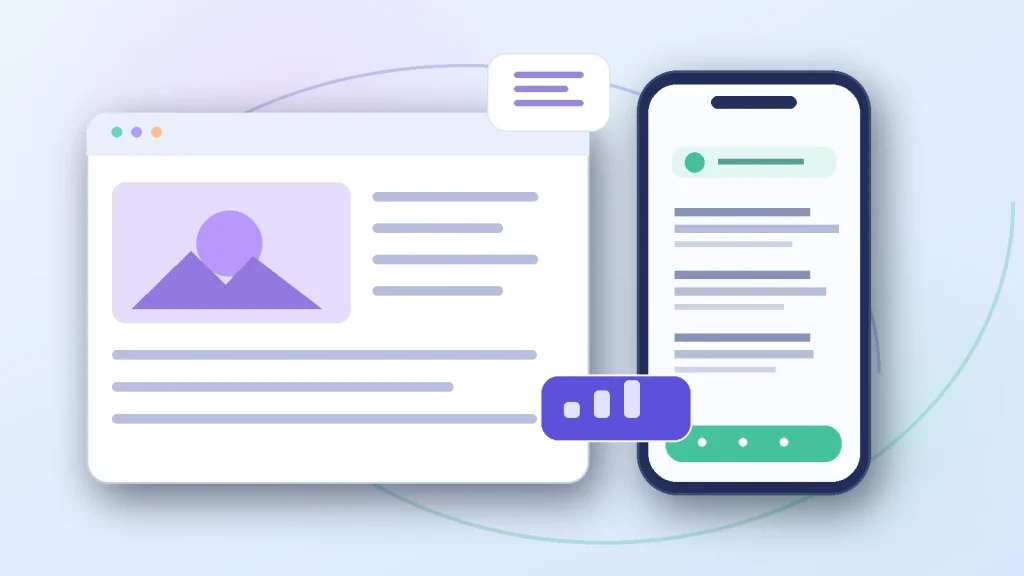
A website can feel slow even when its server is healthy. Large images, embedded videos and complex pages may be difficult to use on an expensive or unreliable mobile connection. Other visitors simply want a calmer page with adjustable text. A WordPress Lite Mode gives visitors more choice without making you run a separate mobile website.
Choose reading modes without breaking critical journeys; compare the considerations in making WordPress sites easier to read.
P-ivo Lite Mode FREE provides four visitor-selectable modes for WordPress. It is free, has no premium tier, and does not require a Pluginivo account. You can also try the modes in the live demo before downloading.
What is a Lite Mode for WordPress?
Lite Mode is an alternative way to display a normal page. Rather than assuming that everyone has fast internet and wants the same presentation, the site offers a lighter browsing experience when appropriate. The original site remains available in Normal Mode.
A useful solution should distinguish two needs: reducing unnecessary media transfers and making text easier to read. Those goals overlap, but a low-bandwidth view is not identical to a reading view.
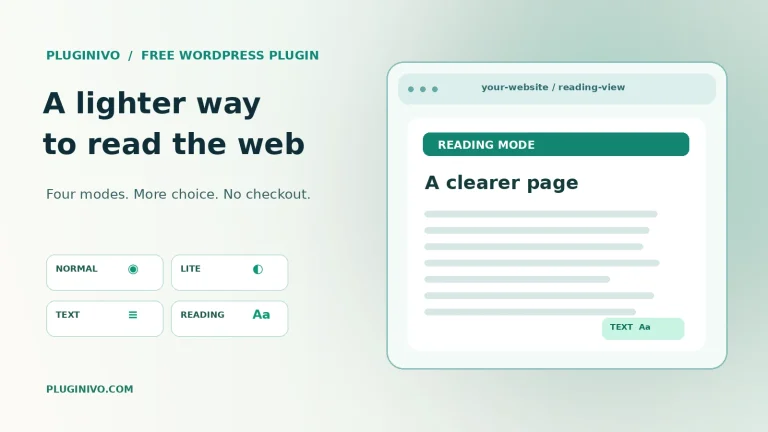
Four visitor choices explained
1. Normal Mode: the original website
Normal Mode keeps the standard theme layout and the usual media experience. It is the safe default when a visitor does not request a change, and the point of comparison for all other modes.
2. Lite Mode: fewer unnecessary downloads
Lite Mode can replace suitable WordPress attachment images with smaller available variants. It can defer embedded video, audio or iframe content until the visitor chooses to load it. The page can still look familiar, but fewer resources need to transfer immediately.
Actual savings depend on image sizes, the theme and what the visitor decides to load. A plugin should not promise a universal percentage improvement; a page with almost no media may not save much data.
3. Text Mode: prioritize useful information
Text Mode removes most visual media so visitors can concentrate on information. Where an image contains meaningful ALT text, that description can remain available as text. Decorative images with empty ALT text can disappear. This is one reason descriptive ALT text helps more than search engines alone.
4. Reading Mode: let visitors adjust the page
Reading Mode includes controls for text size, line spacing, content width and a light or dark reading preference. These settings are personal choices, not a replacement for a properly designed, accessible website. Clear content hierarchy and readable source text are still essential.
When is a low-bandwidth mode useful?
- On mobile networks: a visitor may prefer smaller media when data is expensive or the connection is unstable.
- For long guides: readers may want larger text, more spacing and fewer distractions.
- On content-rich sites: media-heavy pages can benefit from loading video and audio only on request.
- For visitor choice: someone can return to Normal Mode at any time instead of being forced into one layout.
The Lite Mode plugin can offer a lighter experience when supported browser or network signals indicate Data Saver or a slow connection. Availability of these signals varies by browser, so the visible mode switcher remains important.
How to add Lite Mode to a WordPress website
- Download the free ZIP from the Lite Mode product page.
- Open WordPress → Plugins → Add New → Upload Plugin, install the ZIP and activate the plugin.
- Open Settings → Lite Mode and configure the switcher, available modes and preferred image handling.
- Review page and URL exclusions. Keep checkout, cart and account pages protected when WooCommerce is present.
- Test all four modes on a phone and desktop browser, then test again with the site’s caching or CDN service enabled.
Why cache compatibility matters
Some Lite and Text transformations change the HTML delivered by the server. If a full-page cache gives every visitor the same transformed response, one visitor’s settings could accidentally affect another. A careful integration uses cache-aware mode URLs and makes sure the CDN does not discard important query parameters.
P-ivo Lite Mode supports mode-aware URLs such as ?pvlm=lite, ?pvlm=text and ?pvlm=reading when needed. These alternate mode URLs are marked noindex so they are not intended to compete with the canonical page in search results. Test the configuration if your CDN ignores all query strings.
Privacy and accessibility: set realistic expectations
The plugin does not send visitor analytics to Pluginivo and does not require external accounts. The visitor’s mode choice can be stored using a first-party cookie, while reading preferences are stored locally in the browser. Administrators can choose how long mode preferences are remembered.
Reading controls and motion preferences can improve comfort, but installing a reading-mode plugin does not automatically make a site WCAG-compliant. Alternative text, keyboard access, meaningful headings, contrast, forms and testing still matter.
Check WooCommerce pages before launch
If a site uses WooCommerce, verify that cart, checkout and My Account flows remain untouched. Lite Mode protects those pages by default. Also check any custom checkout and account routes, dynamic forms and payment integrations. Do not apply aggressive media removal to a transaction flow without testing it.
Frequently asked questions
Is P-ivo Lite Mode really free?
Yes. The project has no PRO upgrade, paid license requirement or Pluginivo tracking account.
Will it make every WordPress site faster?
No guaranteed speedup applies to every site. The effect depends on the page, hosting, theme, available media sizes and the browser/network.
Does it replace responsive design?
No. The site should already work at different screen widths. Lite, Text and Reading modes offer visitor-controlled alternatives to that same site.
Can a visitor return to the normal design?
Yes. Normal Mode is one of the four available visitor choices.
Try it for yourself
Open the Lite Mode demo and compare Normal, Lite, Text and Reading modes. If the approach suits your website, download P-ivo Lite Mode FREE and test it with your own theme and cache configuration.