How to Recover Abandoned Carts in WooCommerce (2026 Guide)
A customer adds three products to your WooCommerce store, enters an email address, checks the shipping options, and leaves without paying.
A dependable recovery journey begins with checkout improvements that reduce cart abandonment: do not automate around an avoidable checkout problem.
The order never appears as a completed sale. But the shopper may still be interested.
This is where WooCommerce abandoned cart recovery comes in. A well-designed recovery process gives potential customers an easy way to return to an unfinished purchase, without requiring you to chase every abandoned cart manually.
The objective isn’t to pressure everyone into buying. It’s to identify recoverable carts, remove obstacles, and send useful reminders at appropriate times.
Here’s how to build a recovery workflow that makes sense for a real WooCommerce store.
What Is WooCommerce Abandoned Cart Recovery?
Abandoned cart recovery is the process of encouraging shoppers to complete purchases they started but didn’t finish.
An abandoned cart typically contains products selected by a customer who leaves before completing checkout. A recovery system records eligible carts and follows up when the customer can be identified and contacted appropriately.
For example:
- A shopper adds a pair of running shoes to their cart.
- They enter their email address during checkout.
- They leave the website before completing payment.
- The store identifies the cart as abandoned after a configured delay.
- The shopper receives a reminder linking back to their shopping cart.
- If they return and complete payment, the store can attribute the purchase to the recovery process when reliable tracking is available.
The difference between a basic reminder and a useful recovery system is what happens after the shopper clicks.
If the email returns them to an empty cart, you’ve created more work for someone who was already hesitant to purchase.
A recovery link that restores their selected products removes that unnecessary friction.
Why Do WooCommerce Customers Abandon Their Carts?
Not every abandoned cart represents a lost sale.
Some shoppers are comparing products, checking delivery charges, saving items for later, or simply browsing.
Others want to buy but encounter a problem.
Common obstacles include:
- Unexpected shipping charges or additional fees.
- Delivery estimates that don’t meet expectations.
- Mandatory account registration.
- Payment methods that don’t match customer preferences.
- A confusing or excessively long checkout.
- Technical errors or failed payments.
- Uncertainty about returns or store credibility.
Research from the Baymard Institute consistently identifies checkout friction and unexpected costs among the causes of abandonment.
This distinction matters: recovery emails and checkout improvements solve different problems.
An email can remind a distracted shopper to return. It won’t necessarily persuade someone whose shipping cost is unreasonable or whose payment keeps failing.
Before setting up automation, complete a test order on desktop and mobile. Check the total cost, delivery information, form fields, and payment process from the shopper’s perspective.
Step 1: Decide Which Carts Are Recoverable
A recovery plugin needs enough information to associate a cart with a customer.
Logged-in WooCommerce customers may already have an identifiable account. Guest shoppers usually become identifiable only after they provide contact information.
That limitation is important.
An anonymous visitor who adds a product and leaves before sharing an email address generally cannot receive an email reminder. A plugin cannot reliably send an email to an address it never collected.
For example, the free P-ivo Abandoned Cart Recovery plugin on WordPress.org tracks logged-in customers’ carts and can begin tracking guest carts when an email address is entered during checkout. Its published documentation identifies support for classic and block-based WooCommerce checkout.
When comparing recovery tools, check:
- At what point guest carts become identifiable.
- Whether both classic and block checkout are supported.
- How the plugin determines that a cart is abandoned.
- Whether completed orders stop further reminders.
- How opt-outs and personal data are handled.
Also decide which email marketing permissions apply to your customers. Collecting an address to process an order does not automatically mean every follow-up message is permitted in every jurisdiction.
Check applicable marketing and privacy requirements before activating automated recovery emails.
Step 2: Choose a Sensible Reminder Schedule
The right timing depends on the products you sell.
Someone buying inexpensive accessories may make a decision quickly. A customer considering a $1,500 office chair might need more time.
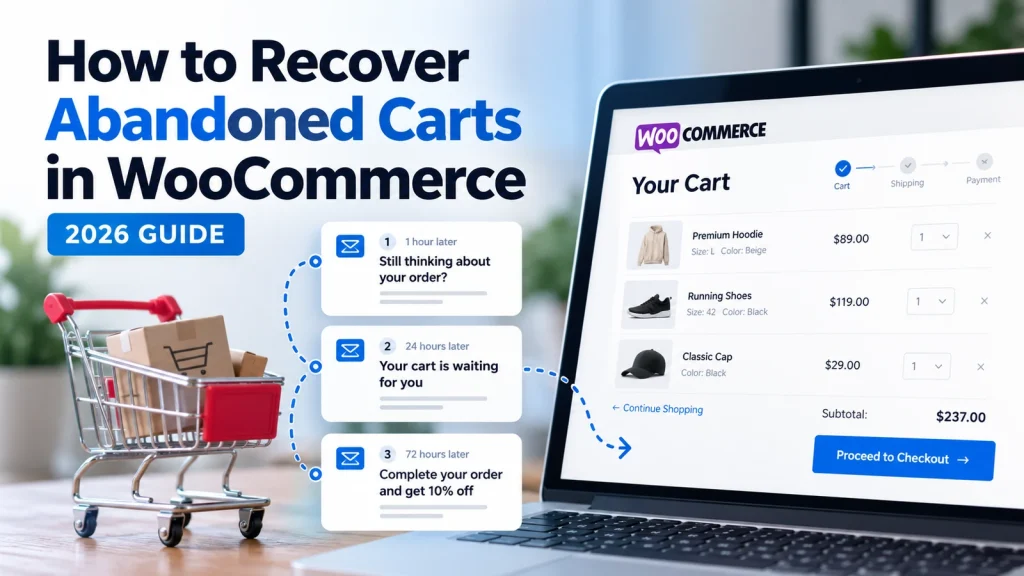
A practical starting schedule for a store selling ordinary consumer goods is:
| Reminder | Illustrative timing | Purpose |
|---|---|---|
| First | 1 hour after abandonment | Helpful reminder |
| Second | 24 hours after abandonment | Address questions or hesitation |
| Third | 72 hours after abandonment | Final, low-pressure follow-up |
These are starting points for testing, not universally optimal sending times.
For the first email, keep the message short. Remind the shopper what they left behind and offer a clear link back.
The second email can address a practical concern, such as how to find delivery information or the return policy.
A third email should only be sent if it adds value and remains appropriate for the customer’s preferences.
Avoid sending multiple reminders after the order is completed. Review how the selected plugin detects orders, handles duplicate messages, and cancels scheduled emails.
Should Every Cart Receive Three Emails?
No.
High-value products, repeat buyers, and low-margin orders may deserve different treatment.
You may decide to send fewer messages to customers who previously ignored reminders. Equally, you might avoid offering incentives for inexpensive orders where the discount would eliminate your profit.
Start with a modest workflow. Expand only after reviewing reliable results.
Step 3: Write Emails That Help Customers Finish
Recovery emails perform a simple job: remind customers about an unfinished purchase and make returning easy.
They don’t need elaborate sales language.
Example: First Reminder
Subject: Still thinking about your order?
Hi,
You left a few items in your shopping cart.
If you’d like to finish your order, you can return to your cart using the link below.
Return to your cart
Questions about delivery or your order? Contact our team and we’ll be happy to help.
Thanks,
The Store Team
This message avoids invented urgency, misleading scarcity claims, and unnecessary promotional pressure.
Example: Second Reminder
Subject: Your cart is ready when you are
Hi,
Just a quick reminder that you haven’t completed your order.
If delivery costs, sizing, or product details are holding you back, our customer support team can help.
You can return to your cart here:
Continue your order
Thanks,
The Store Team
Notice what these examples don’t include: a discount.
That’s intentional.
A reminder should come before an incentive unless you have a specific reason to offer one.
Step 4: Make Cart Restoration Simple
A good recovery email shouldn’t send the shopper to a generic homepage.
Ideally, the recovery link should restore their selected products and lead them toward checkout.
This is particularly useful when the original WooCommerce session has expired.
Imagine someone adds a jacket in a specific size and color. Two days later, they click the reminder email.
A useful recovery experience restores the selected variation rather than forcing them to search for the product again.
Before launching your workflow, test:
- A simple product.
- A variable product with a selected variation.
- Multiple items in one cart.
- A recovery link after the original session expires.
- An item that becomes unavailable.
- A cart where product prices have changed.
A restored cart still needs to respect current inventory, valid prices, and applicable checkout rules. Test how your store handles products that are no longer available.
Also make sure recovery links aren’t unintentionally exposed in analytics logs or public pages where someone else might access them.
Step 5: Use Discounts Carefully
Offering a coupon can increase a shopper’s incentive to return, but discounts create an additional cost.
Suppose an order has:
- $100 in product revenue.
- $45 in product costs.
- $12 in shipping and payment expenses.
The order contributes $43 before other business expenses.
A 15% discount reduces product revenue by $15. Assuming the other costs remain unchanged, the contribution falls to $28.
That’s a significant reduction.
Before offering coupons, ask whether the abandoned cart is profitable enough to justify the incentive.
A sensible policy might be:
- First email: no discount.
- Second email: answer questions and reinforce the purchase information.
- Final email: offer a limited incentive only to eligible customers, when financially justified.
If your recovery plugin supports segmentation, consider a minimum cart value or exclusions for low-margin products.
Remember that a larger cart isn’t automatically a more profitable cart.
A $300 order can have worse margins than a $75 order if product and fulfillment costs are high.
Step 6: Configure Recovery in WooCommerce
WooCommerce doesn’t automatically provide every abandoned-cart recovery feature a store may need. You generally use a dedicated plugin or an external marketing platform for this workflow.
For a simple starting point, the free P-ivo plugin provides one configurable reminder email, cart restoration, and an abandoned-cart dashboard.
A basic setup looks like this:
- Back up your WordPress site and confirm WooCommerce is active.
- Install the plugin from WordPress.org.
- Activate it from Plugins in your WordPress dashboard.
- Open Cart Recovery → Settings.
- Choose the reminder delay.
- Customize the email text and sender presentation.
- Review privacy and retention settings.
- Test an abandoned cart with an email address you control.
These steps follow the plugin’s published installation guidance. Your configuration may vary with the installed version.
When Should You Consider a PRO Recovery Plugin?
A single reminder may be sufficient for a small store with limited order volume.
As your workflow becomes more sophisticated, you may want different messages, more detailed attribution, or conditional incentives.
Pluginivo Abandoned Cart Recovery PRO adds configurable multi-step email sequences, one-click cart restoration, automatically generated single-use coupons, and segmentation by cart value, products, or categories.
It also includes email open and click tracking, plus recovered-revenue reports.
An important distinction in its published recovery logic is that a cart is counted as recovered when an order is completed through the recovery flow—not merely because the customer later places an order using the same email address.
Cancelled, failed, or fully refunded recovered orders are removed from recovered totals.
You can explore the Abandoned Cart Recovery PRO product and its live demo before deciding whether advanced recovery features fit your store.
Step 7: Measure Results Without Misreading the Numbers
Recovery dashboards often contain several different metrics.
Understanding them prevents poor decisions.
Abandoned carts: Carts identified as unfinished according to your system’s rules.
Recovered carts: Carts that meet the system’s recovery attribution conditions.
Estimated abandoned cart value: The combined value of unresolved carts. This is not guaranteed lost revenue.
Recovered revenue: Revenue associated with orders attributed to the recovery workflow.
Email click rate: The proportion of delivered messages that generated tracked clicks, depending on the reporting method.
Open rates are less reliable because email clients can block, preload, or proxy tracking images.
Focus on completed, attributable orders and their profitability rather than open rates alone.
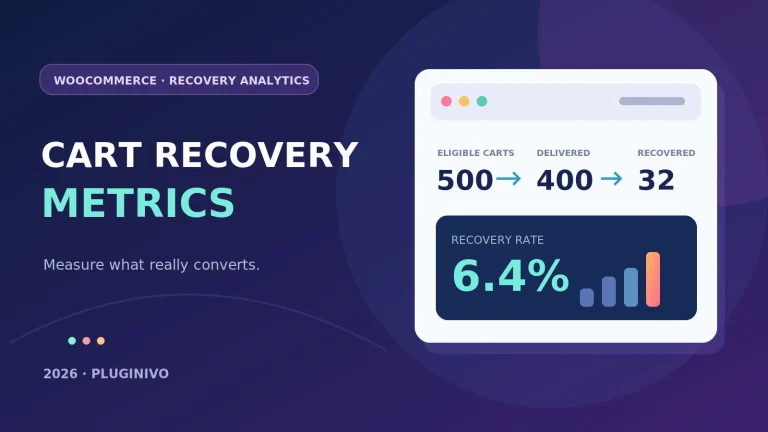
A Simple Recovery Calculation
Suppose your reporting period contains:
- 120 eligible abandoned carts.
- 12 completed orders attributable to recovery emails.
- $720 in recovered order revenue.
The recovery rate is:
12 ÷ 120 × 100 = 10%
Average recovered order revenue is:
$720 ÷ 12 = $60
These figures are hypothetical.
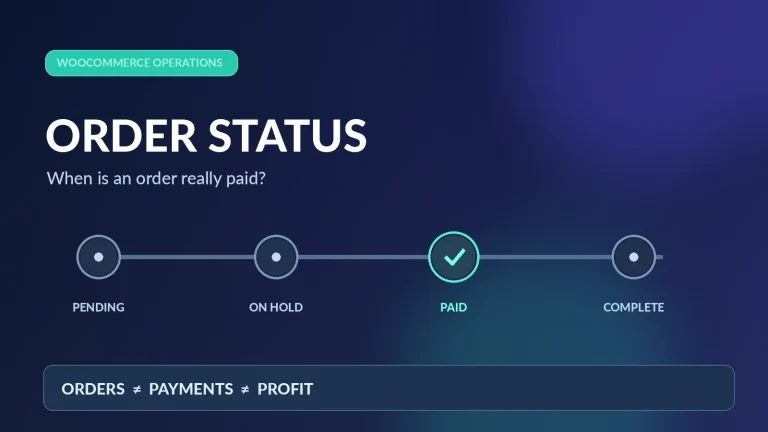
The $720 represents attributed revenue, not profit. To determine financial value, subtract relevant product costs, processing fees, fulfillment expenses, and incentive costs.
Also define your reporting period and make sure carts and recovered orders are counted consistently.
Common Recovery Mistakes to Avoid
Sending too many emails. More reminders do not necessarily produce better outcomes. Excessive contact may damage trust or cause unsubscribes.
Offering discounts immediately. This teaches some customers to expect a coupon and may reduce the margins on purchases they would have made anyway.
Ignoring deliverability. An automated email is useless if it lands in spam. Configure appropriate SPF, DKIM, and DMARC authentication for your sending domain, and monitor sending failures.
Skipping compliance. Recovery messages may be regulated as marketing. Requirements vary by jurisdiction, customer relationship, consent, and message content.
Assuming every abandoned cart is recoverable. Some shoppers were never ready to buy.
Ignoring checkout problems. A reminder won’t fix an unreliable payment gateway.
Frequently Asked Questions
Can WooCommerce recover abandoned carts automatically?
Yes. A compatible recovery plugin or marketing platform can identify eligible abandoned carts and send automated reminders, provided the store has suitable customer contact information and a lawful basis for sending the messages.
Can I recover carts from guest customers?
Often, yes, after guests provide an email address. Completely anonymous visitors cannot receive email reminders without a usable contact address.
What is the best time to send an abandoned cart email?
There is no universal best time. One hour is a reasonable initial test for many stores, followed by a longer delay if additional reminders are appropriate. Adjust based on your products and actual results.
Do I need to offer a discount?
No. Start with a useful reminder and an easy return path. Introduce discounts only when the expected benefit justifies their cost.
Does recovered revenue mean recovered profit?
No. Revenue measures sales value. Profit requires accounting for the costs associated with those recovered orders.
Final Thoughts
Abandoned cart recovery works best when it removes obstacles rather than creating more marketing noise.
Start by making checkout reliable. Identify carts that can actually be recovered, send relevant reminders, restore the customer’s selected products, and measure completed orders carefully.
A straightforward, trustworthy workflow is more valuable than a complicated sequence of emails nobody wants to receive.