WooCommerce Cart Recovery Metrics: Measure What Really Converts (2026)
Many store owners see a large value labelled “abandoned carts” and assume that any recovery email should bring back a fixed percentage of it. That number is not yet a meaningful performance measure. Some visitors leave before entering an email address, some carts are not eligible for a message, and some customers return on their own. A useful WooCommerce cart recovery metrics dashboard distinguishes these groups before it celebrates recovered revenue.
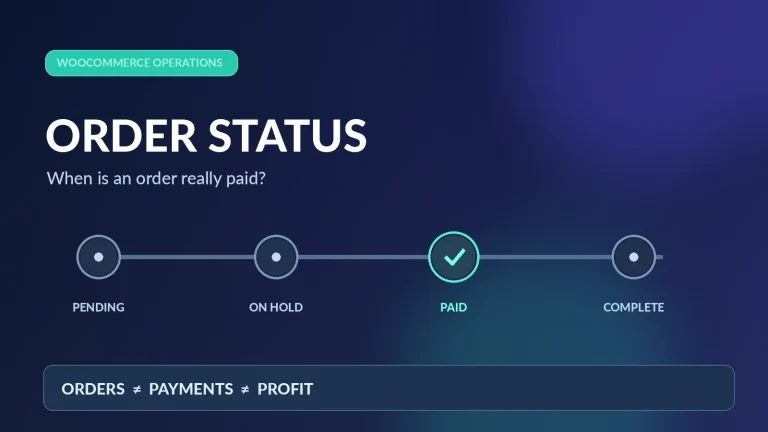
Your recovery funnel depends on a clear payment policy; fixing abandoned cart emails that do not send helps prevent double-counting.
This guide explains the numbers to track, includes a worked calculation and shows how to use the results to improve your recovery workflow rather than just increase email volume.
Start with a measurable recovery funnel
A cart can pass through several stages, and each stage answers a different question:
- Captured carts: shopping sessions recorded by the cart tracking system. Tracking should respect consent and local privacy rules.
- Eligible abandoned carts: carts with an appropriate contact address, the required consent or legal basis, and no completed purchase at the time the campaign begins.
- Messages sent and delivered: reminders actually submitted to the mail system and, where available, confirmed as delivered. Sending is not the same as inbox placement.
- Return visits: people who returned to the store after a reminder. They have not necessarily purchased.
- Recovered orders: completed, valid orders attributed to a cart recovery journey under your stated rules.
- Net contribution: recovered order revenue minus product costs, fulfillment, payment fees, incentive discounts and relevant campaign costs.
Do not use one denominator for all six stages. The difference between 1,000 captured carts and 500 eligible carts is important; confusing them makes a healthy campaign look weak or an ineffective campaign look successful.
Worked example: conversion rates and recovered value
Assume the following illustrative 30-day figures for a WooCommerce store. They are sample values, not industry benchmarks or Pluginivo performance claims.
| Funnel step | Example | What it means |
|---|---|---|
| Captured abandoned carts | 1,000 | All carts recorded as abandoned |
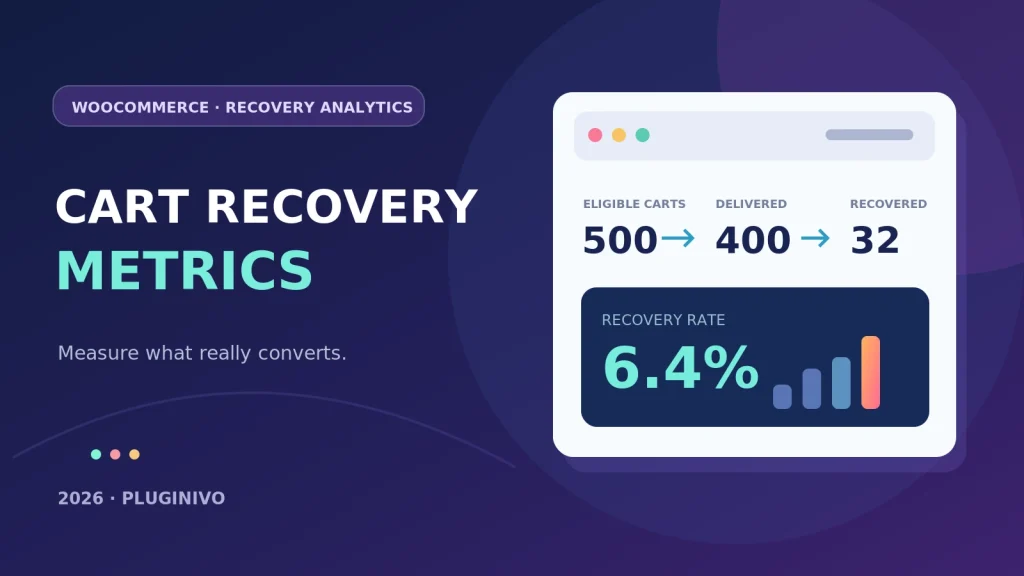
| Eligible carts | 500 | Contactable carts under your rules |
| Delivered reminders | 400 | Messages reported delivered |
| Recovered paid orders | 32 | Purchases matched to the campaign |
| Average recovered order value | $100 | Before product and service costs |
Eligible-cart recovery rate = 32 ÷ 500 × 100 = 6.4%. A message-based rate using delivered reminders would be 32 ÷ 400 × 100 = 8%, but is not interchangeable with the eligible-cart rate because one cart can receive several emails. Be explicit about the unit you count: unique carts, unique customers or sent messages.
Recovered gross order value = 32 × $100 = $3,200. This is turnover attributed to recovery, not profit. Suppose the average contribution after product, shipping, packing and payment costs is $38 per recovered order: 32 × $38 = $1,216. If additional coupons cost $100 and incremental campaign costs are $40, the example ends with $1,076 estimated contribution. Taxes, returns, refunds and attribution uncertainty may change this result.
Seven metrics worth reviewing every week
1. Eligible-cart recovery rate
Divide recovered paid orders by the number of eligible abandoned carts in the same defined cohort. Use a fixed observation window so that last week’s carts have the same opportunity to convert as the week before.
2. Email delivery and bounce rate
A reminder that does not reach the recipient cannot convert. Monitor mail delivery failures, bounces and authentication issues. If you are troubleshooting missing reminders, consult our WooCommerce cart email troubleshooting guide before changing your subject lines.
3. Return-to-site versus purchase completion
A recovered visit is useful but does not equal a recovered sale. Check whether shoppers encounter checkout errors, shipping surprises, confusing payment choices or mobile usability issues when they come back.
4. Revenue per recovered order
Use actual completed order totals and account for later cancellations. A high recovery count can still create low-value sales if a campaign attracts only small baskets or uses heavy discounts.
5. Contribution per recovered order
Subtract cost of goods, shipping subsidy, payment charges and discounts. For a broader profitability workflow, compare with the Order Profit Calculator PRO methodology rather than relying on gross sales alone.
6. Unsubscribe and complaint signals
Watch opt-outs, spam complaints and unusually frequent reminders. Respect customer preferences and applicable electronic marketing rules; more emails are not automatically better.
7. Incremental lift versus a holdout
A customer can return naturally without a reminder. If your store has sufficient volume, compare a small eligible holdout group that receives no recovery message against the messaged group. A controlled comparison helps estimate incremental effect rather than assigning every later purchase to an email.
Avoid four common reporting mistakes
- Counting the same order twice: prevent multiple messages, sessions or cart identifiers from claiming one completed order.
- Mixing date ranges: use a cart-created cohort and an explicit conversion window, or document a different approach consistently.
- Calling opens conversions: email open tracking can be unreliable because of privacy features and image preloading; prefer completed orders.
- Ignoring refunds and coupons: a recovered order later refunded, or converted by a costly discount, changes the value you actually retain.
A practical 30-minute weekly review
Export or review the period’s eligible carts, email outcomes and matched orders. Check failed sends before adjusting content. Compare devices, countries, customer segments and coupon/no-coupon groups only where data volumes allow. Identify one bottleneck—delivery, return visits or checkout—and change one thing at a time so your next comparison remains useful.
A recovery tool should make this process easier. Explore Pluginivo Abandoned Cart Recovery PRO and try the live demo to see the workflow. Actual available metrics depend on the installed version and store configuration; verify reports against your WooCommerce orders before using them for financial decisions.
Frequently asked questions
What counts as a recovered cart?
Define a completed, valid order and a consistent attribution rule, such as a tracked recovery link followed by an order within a specified window. Your report should state whether unpaid, cancelled and refunded orders are excluded.
Is recovered revenue the same as profit?
No. Revenue does not include product purchase costs, discounts, fulfillment, transaction fees or later refunds. Use contribution per recovered order alongside gross recovered sales.
What is a good recovery rate?
There is no single reliable target for every store. Product mix, purchase cycle, consent rules, deliverability, incentives and measurement definitions all change the result. Establish your own baseline and improve it with controlled tests.
For additional background on the terminology used by commercial WooCommerce extensions, see the WooCommerce abandoned cart documentation. It describes example recovered-cart and dashboard reports; specific features vary by extension.