WooCommerce Abandoned Cart Emails: 3-Step Sequence, Timing & Examples (2026)
Most abandoned-cart emails fail because they repeat the same request three times. A shopper who left because delivery costs were unclear does not need three reminders saying “you forgot something.” They need a clear reason to return, a frictionless link, and sometimes an answer to the question that stopped the purchase.
Reliable reminders depend on the delivery pipeline; start with fixing abandoned cart emails that do not send before adjusting email timing.
Below is a practical WooCommerce abandoned cart email sequence with suggested timing, editable examples, technical checks, and a way to measure whether recovered orders are actually worth recovering.
Want to put this into practice? Explore Abandoned Cart Recovery PRO to automate reminders and Order Profit Calculator PRO to review the costs and margins behind recovered orders. The suggested schedule below is a hypothesis to test—not a promise of results.
New to recovery automation? Read our WooCommerce abandoned cart recovery guide first.
What counts as an abandoned cart?
A cart is typically considered abandoned after a shopper adds products and then becomes inactive without completing checkout. The inactivity threshold depends on your tracking tool. A cart with an email address can be eligible for follow-up only when you have a lawful basis for contacting that customer and an appropriate way to honor opt-outs.
Do not confuse a tracked cart with an unpaid order. A visitor can abandon a cart before an order exists. An order marked pending payment may need a different workflow. Use your extension’s documented triggers rather than assuming that every open checkout is an abandoned order.
The three-email recovery sequence at a glance
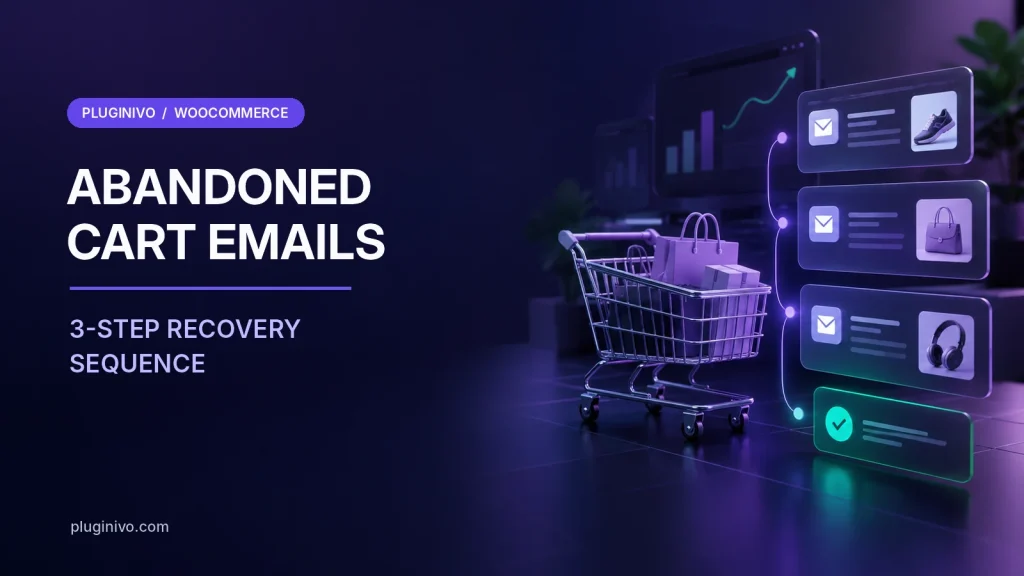
Start with a simple sequence and change one variable at a time. Suggested delays are measured after the cart has qualified as abandoned, not necessarily after the first item was added.
| Suggested timing | Primary job | Offer | |
|---|---|---|---|
| 1. Helpful reminder | About 1 hour | Restore context and make checkout easy | No discount |
| 2. Answer objections | About 24 hours | Address shipping, payment, sizing or trust questions | Usually no discount |
| 3. Final, respectful follow-up | About 48–72 hours | Give one final chance to complete the order | Optional, margin-checked incentive |
These are illustrative intervals, not industry-wide best times. Higher-consideration purchases, replenishment products, gifts and B2B buying can require different schedules. Respect applicable consent and marketing rules, message-frequency limits and quiet-hour preferences where relevant.
Email 1: a friendly reminder after one hour
Keep the first message short. Show the item or cart summary, explain that checkout can be resumed, and place the recovery button where a mobile reader can see it. Avoid fake scarcity or a premature discount.
Preview: Your selections are ready whenever you are.
Body: Hi [first name], you left a few items in your cart. If you were interrupted, you can pick up where you left off. Questions about delivery or payment? Reply to this email and we’ll help.
Button: Return to my cart
Use only personalization fields your system actually stores. Test the recovery link from a different browser or device. A button that returns visitors to an empty cart defeats the entire sequence.
Email 2: remove uncertainty after one day
At this stage, repeat reminders are less useful than relevant information. Depending on the products and checkout friction you observe, explain shipping costs, estimated dispatch times, returns, warranty coverage or payment methods. Do not claim “free returns” or “ships tomorrow” unless those statements are true for the cart and destination.
Preview: Delivery, payment and returns—here are the details.
Body: Hi [first name], choosing the right product can take time. Before you decide, here’s where to find our delivery and returns information. If something at checkout was unclear, reply and tell us what happened. You can also reopen your cart below.
Button: Review my cart
For customers who already bought, suppress the remaining reminders. The same applies to unsubscribed addresses, expired carts and items that are no longer available.
Email 3: a useful final follow-up after 48–72 hours
One final message is often enough. If your business uses incentives, do not hand a coupon to everyone by default. Segment only where the data, the customer’s permissions and your actual margin support it. Otherwise, a polite “can we help?” is a better ending.
Preview: We’re here if you need a hand with your order.
Body: Hi [first name], this is our final reminder about the items you viewed. If you still want them, you can return to checkout using the link below. If now isn’t the right time, no action is needed. Thanks for visiting.
Button: Continue checkout
Do not invent urgency. Say an offer or reservation expires only when it really does, and be clear about conditions. If you include a one-time code, make sure the code works for the recipient, the items and the store currency.
Should you offer a discount in recovery emails?
A discount can increase the number of recovered orders while reducing the profit from each order. Compare both outcomes. Imagine a recovered order with $100 of tax-exclusive net sales, $55 in product costs, $8 in fulfillment and $4 in payment fees. Before marketing and overhead, contribution is $33. A $10 discount drops that contribution to about $23 if the other costs stay the same.
That is why recovery should be reviewed alongside margin. For a structured approach, see Pluginivo Order Profit Calculator PRO, which helps store owners inspect order-level costs and margins when the appropriate inputs are configured.
How to set up abandoned cart emails in WooCommerce
- Confirm your WooCommerce version and recovery setup. WooCommerce’s experimental built-in single-reminder feature existed in 11.0/11.1 but was removed in 11.2. Do not plan a multi-step campaign around a core setting that may not exist in your installed version.
- Choose one active recovery system. If several plugins or marketing platforms send reminders, stop duplicate campaigns before you launch.
- Set a clear inactivity cutoff. Test when a cart is marked abandoned and how guest email addresses become eligible.
- Configure the three delays and templates. Check whether the delay begins at last activity, abandonment, or another trigger; tools differ.
- Add a recoverable cart URL. Confirm that it restores the expected products and takes the shopper to a working checkout.
- Set stop conditions. Stop scheduled reminders on purchase, unsubscribe, invalid addresses and relevant status changes.
- Test deliverability and mobile rendering. Send messages to real test inboxes, verify SPF/DKIM/DMARC configuration and click every link.
- Review compliance. Check your local email-marketing and privacy rules, disclosure, consent or other lawful basis, and unsubscribe handling. Rules vary by region and message purpose.
For the history of WooCommerce’s experimental core reminder and version-specific limitations, consult the official WooCommerce documentation. Extension settings and functionality can differ.
What to measure beyond opens and clicks
Open rates alone are increasingly unreliable because privacy features can pre-load tracking pixels. Focus on meaningful outcomes and use a consistent attribution window.
- Eligible abandoned carts: the number of carts that met your tracking and contact criteria.
- Recovered carts: carts completed following a valid recovery path, excluding later canceled or refunded orders when reporting net results.
- Recovered revenue: order value attributed to recovery—not the same as incremental revenue caused by your emails.
- Recovery conversion rate: recovered eligible carts divided by all eligible abandoned carts in the same cohort.
- Discount and fulfillment costs: what the recovered sale contributed after direct expenses.
- Unsubscribes and complaints: signals that your messages are too frequent or poorly targeted.
Be careful with attribution: someone may return on their own after receiving an email. To estimate the sequence’s additional value, consider an appropriately designed holdout test when your audience and legal basis support it.
Common mistakes that make cart recovery annoying
Three emails that all say the same thing
Each touch should answer a different question: “Can I get back?”, “Is this purchase right for me?”, and “Do I still want to finish?”
Sending after a completed order
Checkout and recovery signals must be reconciled promptly. Test partial payments, payment retries, delayed webhooks and guest checkouts.
Using a coupon before diagnosing the problem
Shoppers abandon for many reasons. Discounts will not fix a broken payment method or unexpectedly expensive shipping.
Forgetting the mobile experience
Most readers should be able to identify the offer, tap the button and complete payment without zooming or hunting for the checkout link.
Ignoring legal and preference signals
Keep suppression lists current. The ability to capture an email at checkout does not automatically mean you may send every type of marketing message.
Frequently asked questions
How many abandoned cart emails should I send?
Start with a short sequence of up to three relevant messages, subject to applicable permissions and preference settings. Measure the impact and stop messages once the shopper completes checkout or opts out.
When should the first WooCommerce cart recovery email go out?
One hour after confirmed abandonment is a reasonable testing point for many stores, but it is not a universal optimum. Your cart inactivity threshold, product category and message rules matter.
Can I send abandoned cart emails to guest customers?
A guest can sometimes receive a reminder if the store has captured a usable email address and has the required permission or other lawful basis. Apply the relevant privacy rules and your platform’s opt-out controls.
Do I need a WooCommerce recovery plugin?
For multi-step automation, cart restoration and reporting, stores generally use a compatible extension or marketing platform. Check which capabilities your current WooCommerce version provides.
How do I know whether recovered orders are profitable?
Deduct product, payment, merchant-funded shipping, discounts and attributable marketing costs. Recovered revenue is not equivalent to profit.
A recovery sequence worth keeping
Send fewer, more relevant emails. Begin with a genuinely useful reminder, answer objections in the second message and finish with a respectful final follow-up. Test every cart link, suppress completed orders and measure contribution—not just the headline recovery figure.
To build the workflow in WooCommerce, explore Abandoned Cart Recovery PRO, including its feature list and demo, before enabling a sequence on a live store.