WooCommerce Returns & Refunds: Calculate the Real Cost per Order (2026)
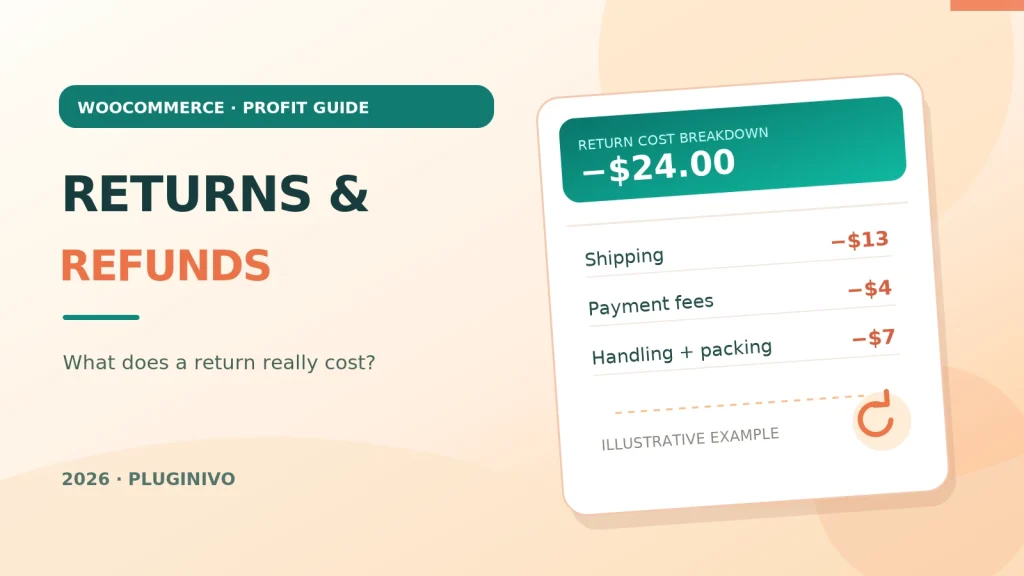
A refund can make a successful WooCommerce sale look very different in your accounts. A paid order initially contributes revenue, but after the customer returns the item you may still have outbound postage, payment fees, packaging, inspection time and return shipping to pay. To understand the real cost of WooCommerce returns and refunds, follow the money and the inventory instead of relying on the order’s original total.
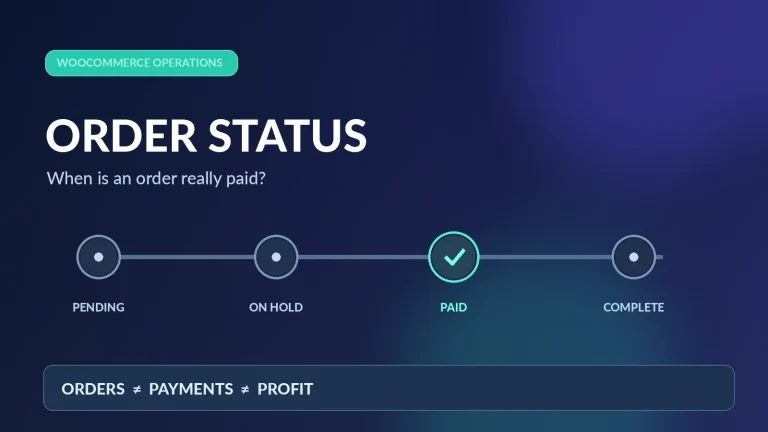
Accurate return reporting starts with WooCommerce order statuses and payments, especially when a refund is recorded separately from its payment.
This article explains full and partial refunds, the difference between restockable and unsellable items, and a simple model for tracking the contribution left after a return.
Refund, return and restock are three different events
A refund is money paid back to the customer. A return is the physical movement of goods back to your business. Restocking means the item has passed inspection and is available to sell again. Some orders receive a partial refund without a physical return; some returned items cannot be resold. Your profit calculation should record each event independently.
WooCommerce supports automatic refunds through compatible gateways and manual refunds that require a separate payout by the merchant. Merely changing an order status does not transfer funds. Its official refunding orders documentation explains these differences and stock-restocking options.
Example: an order that becomes a full refund
Consider an illustrative $120 order. To keep the math easy, treat the amounts as tax-exclusive and ignore tax adjustments; in a real store, calculate taxes separately.
| Original order | Amount |
|---|---|
| Customer payment, excluding tax | +$120 |
| Product acquisition cost | −$55 |
| Outbound shipping paid by merchant | −$7 |
| Packaging material | −$2 |
| Payment processing charge | −$4 |
| Original order contribution | +$52 |
Now the buyer receives a full $120 refund. The item is returned and can be resold at the original value. Inventory is restored, so the $55 product cost remains tied to stock rather than being permanently lost. But some service costs remain:
| Cost after a fully refunded, resellable return | Amount |
|---|---|
| Outbound shipping already used | −$7 |
| Packaging already used | −$2 |
| Non-refundable payment processing charge | −$4 |
| Return shipping paid by merchant | −$6 |
| Inspection and restocking labor | −$5 |
| Contribution from this failed sale | −$24 |
If the product is unusable and must be written off, also recognize the $55 inventory loss. In this simplified example, the total effect becomes −$79. This is a contribution illustration, not an accounting or tax treatment; actual figures depend on your payment processor, inventory valuation and local rules.
Which costs belong in a returns calculation?
Payment fees and refund charges
Some gateways retain original processing fees or charge an additional fee for a refund. Others apply different policies. Record what your provider actually charges instead of assuming refunds reverse all fees.
Shipping in both directions
Did the customer pay for initial delivery? Was shipping refunded too? Who covered the return label? Distinguish customer-paid charges from the carrier costs you bear. Free shipping does not make your outbound delivery free.
Packaging, handling and inspection
Boxes, labels, pick-and-pack labor, cleaning, testing and repacking can be material for stores with many returns. Decide which are variable per return and avoid allocating the same labor twice.
Lost or reduced inventory value
A sealed product may return to normal stock. Opened goods may require a markdown; damaged or hygiene-sensitive items may be unsellable. Track the revised recoverable inventory value rather than treating every return as a full product-cost loss.
Discounts, restocking charges and partial refunds
Coupons change the original net selling price. A partial refund can leave some revenue on the order while goods remain with the customer. Refunds of shipping, fees and taxes must follow actual transactions and applicable policy.
How to organize return costs in WooCommerce
- Identify the original order. Store the WooCommerce order ID, date, payment method and actual amounts received.
- Record the refund. Note refunded lines, quantities, tax and shipping. Confirm whether the gateway processed the payout or the refund is only recorded manually.
- Track the physical item. Mark returned, inspected, resellable, discounted or written off; do not restock damaged goods automatically.
- Record the additional costs. Carrier label, packaging loss, processing fees and handling time should have a clear source.
- Recalculate contribution. Update revenue and cost assumptions for the actual outcome. Compare a refunded order to an ordinary completed order only after these adjustments.
If you regularly review order margins, the Pluginivo Order Profit Calculator PRO and its live demo provide a starting point for thinking about cost components. Do not assume a plugin automatically imports every return-specific expense—check the available fields and reconcile against your order and accounting records. For the product-cost foundation, read our WooCommerce cost of goods sold (COGS) guide.
Use returns data to improve the store
Look at return reasons by product, variation, supplier and delivery method. A cluster of size-related returns may indicate missing measurements; “not as described” signals a product content issue; shipping damage may call for new packaging. Compare return-adjusted margin, not just the percentage of parcels that come back. A product with high sales and frequent expensive returns may contribute less than a slower-selling, reliable product.
Frequently asked questions
Does WooCommerce automatically send a refund to the customer?
Only an automatic refund through a compatible gateway returns the payment within WooCommerce. A manual refund records the event, but you must send the money separately. Confirm the gateway transaction and order notes.
Do you lose the product cost on every return?
Not if the item comes back in resellable condition. Its cost generally remains associated with inventory. A damaged or obsolete item may require a write-down.
How should partial refunds be measured?
Start from the actual amount retained after the partial refund, then include costs of goods and fulfillment that still belong to the order. If no goods return, avoid crediting back inventory value that you did not recover.
Bottom line: compare the cash refunded, services consumed and inventory actually recovered. That gives a more useful picture than either gross sales or the count of refunded orders alone.