WooCommerce Free Shipping Threshold: Calculate a Profitable Minimum (2026)
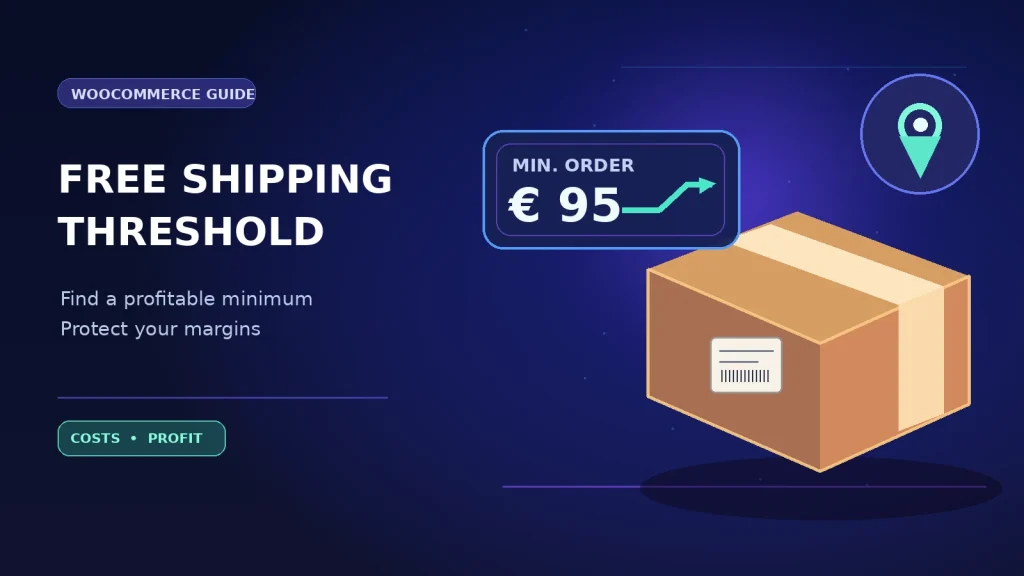
Free shipping can lift order value and still reduce profit. If the threshold is too low, your store pays the courier more often without earning enough extra margin. If it is too high, shoppers may ignore the offer altogether. The practical question is not “What is a popular free shipping threshold?” but “What minimum order value can this WooCommerce store afford?”
A free shipping threshold should be based on true costs; consider how to calculate real WooCommerce profit alongside your shipping rules.
This guide explains how to calculate a WooCommerce free shipping threshold, configure it by shipping zone, test coupons, and measure actual profit after fulfillment. The figures below are illustrative; replace them with your real product costs, carrier invoices and customer behavior.
Recommended tools: Explore Order Profit Calculator PRO for reviewing configured order costs and margins. If you’re also working on lost checkouts, see Abandoned Cart Recovery PRO. Start with margins before promoting a delivery offer.
Related reading: see our real WooCommerce profit guide.
What is a free shipping threshold in WooCommerce?
A free shipping threshold is the minimum qualifying order amount at which the customer sees a free shipping method. It does not mean delivery is free for the merchant: picking, packaging, labels, carrier charges, surcharges, replacement shipments and some returns still cost money.
WooCommerce includes a built-in Free Shipping method that can be assigned to a shipping zone. It can be offered without a condition, after a minimum spend, when a qualifying free-shipping coupon is used, or according to a combination of both. Customers see the methods available in the zone matching their shipping address. See the official WooCommerce Free Shipping documentation for the exact configuration controls.
The profit formula behind free shipping
Use sales after discounts and excluding collected sales taxes/VAT when those taxes do not belong to your revenue. If your merchandise sales figure is already after discounts, do not subtract the coupon again. Treat tax, shipping charges and merchant expenses consistently across scenarios.
Other variable costs may include packaging, marketplace commissions, payment fees on the shipping amount, or a provision for expected returns. Contribution is not net profit after fixed overhead and income taxes.
Example: why a €80 threshold can underperform €95
Imagine a store with an average €65 product order. The current paid-shipping order generates €65 in tax-exclusive net merchandise revenue, and the shopper pays €6 for delivery. We assume a 40% product margin before fulfillment, the carrier costs €8, packing costs €1, and fees vary by order.
| Scenario | Paid shipping at €65 | Free shipping at €80 | Free shipping at €95 |
|---|---|---|---|
| Merchandise sales | €65.00 | €80.00 | €95.00 |
| Customer-paid delivery | €6.00 | €0.00 | €0.00 |
| Product costs | €39.00 | €48.00 | €57.00 |
| Carrier + packing | €9.00 | €9.00 | €9.00 |
| Example payment fees | €2.00 | €2.40 | €2.80 |
| Order contribution | €21.00 | €20.60 | €26.20 |
The €80 free-shipping order is larger, but slightly less profitable than the current €65 paid-delivery order. The €95 order contributes more—if the shopper actually adds items and completes checkout. Raising the bar too far can lower conversion, which is why the per-order calculation is only the starting point.
How to estimate a threshold from your own numbers
- Measure your real baseline. Record typical basket value, goods cost, delivery paid by customers, carrier cost, packing and payment fees by zone.
- Choose a contribution target. Decide whether free-shipping orders should match the existing contribution per order or another commercial target.
- Estimate incremental margin. Additional basket value is not all profit. Subtract the product cost and any extra picking, weight or payment charges.
- Model several thresholds. Compare, for example, €80, €95 and €110 against actual product combinations—not just a single average margin.
- Check how often orders qualify. A minimum that almost nobody can reach is unlikely to influence behavior.
- Run a controlled test. Compare completed orders, contribution per visitor, customer shipping complaints and returns before keeping the new rule.
For a simple approximation, divide the extra fulfillment subsidy by the contribution margin rate on extra merchandise. If waiving €6 in customer-paid delivery must be covered by a 40% incremental contribution margin, you need about €15 in additional net merchandise sales, assuming no other cost changes. That is an initial estimate, not an automatically correct threshold.
Set up a minimum order for free shipping in WooCommerce
- Open WooCommerce → Settings → Shipping → Shipping zones.
- Edit the shipping zone where the offer should apply.
- Choose Add shipping method, select Free shipping and continue.
- Under Free shipping requires, select A minimum order amount and enter the chosen threshold.
- Save changes. Test a customer address in the same zone below, exactly at and above the threshold.
- Repeat or adjust for other zones only if the carrier economics support it.
Do not confuse a minimum amount required to receive free delivery with a storewide minimum amount required to place any order. They are different conditions and may require different tools.
Coupons can change which orders qualify
WooCommerce’s core free-shipping settings include an option commonly labeled Apply minimum order rule before coupon discount. If unchecked, coupon-discounted merchandise values are evaluated for the threshold; if checked, the pre-coupon value is used. For example, a €100 basket with a €15 discount may qualify for a €95 threshold under the pre-discount rule but not the post-discount rule. WooCommerce documents this behavior.
Test combinations of sale products, fixed and percentage coupons, free-shipping coupons, variable products and tax display settings. Avoid announcing that “all orders over €95 ship free” if important destinations or product types are excluded.
Why shipping zones and heavy products matter
A profitable local offer can lose money on remote delivery. Weight, parcel dimensions, multi-parcel orders and shipping classes may push carrier charges well above the average. Start with the zones and products you can price accurately. Review shipping cost by destination and service level, not only storewide averages.
What to measure after launching the threshold
- Average order value: Are completed carts genuinely larger?
- Qualifying order share: How many customers actually reach the new minimum?
- Contribution per order and per visitor: Are profits improving after shipping subsidy and fees?
- Checkout conversion: Are shoppers abandoning because the threshold feels unreachable?
- Carrier and packing cost by zone: Are specific destinations eroding margins?
- Return and refund rates: Are shoppers adding items they later return simply to reach the minimum?
Where possible, compare a test group with a stable baseline or holdout. A higher average basket does not by itself prove the new threshold caused higher profit.
Common mistakes
Copying a competitor’s threshold
They may have different buying terms, freight contracts, average weights and margins. Your number needs your economics.
Forgetting that “free” shipping still costs money
Look at actual carrier invoices and packaging expenses, not just what the customer paid at checkout.
Double-counting coupons or VAT
Use a consistent tax-exclusive contribution model and subtract a discount only once.
Only checking the cart, not the completed order
Confirm how the shipping method is recorded after checkout and whether refunds, address changes and order edits affect reporting.
Frequently asked questions
Does WooCommerce support free shipping above a minimum?
Yes. Its built-in free-shipping method can require a minimum order amount within each configured shipping zone.
Can the minimum differ by country?
You can use different shipping zones for different geographic regions and configure their methods accordingly. Test address matching carefully.
Do coupons affect free shipping eligibility?
They can. WooCommerce offers a setting that determines whether the minimum is tested before or after coupon discounts.
Is a higher threshold always more profitable?
No. The order might have a higher contribution but fewer visitors may finish checkout. Evaluate profit per visitor and completed order.
How can I check whether my orders remain profitable?
Record costs for merchandise, carrier, packing, fees and discounts per order. Review them with Order Profit Calculator PRO where those inputs are available.
Choose a threshold with evidence
Start with your real shipping subsidy and incremental product margin, not a competitor’s headline. Configure the rule by zone, test coupon behavior, then review contribution and conversion together. Free shipping should be a growth tool, not an invisible margin leak.
For a closer look at order economics, explore Order Profit Calculator PRO, alongside our guide to WooCommerce cost of goods sold and margins.