WooCommerce Checkout Friction: Seven Things to Audit
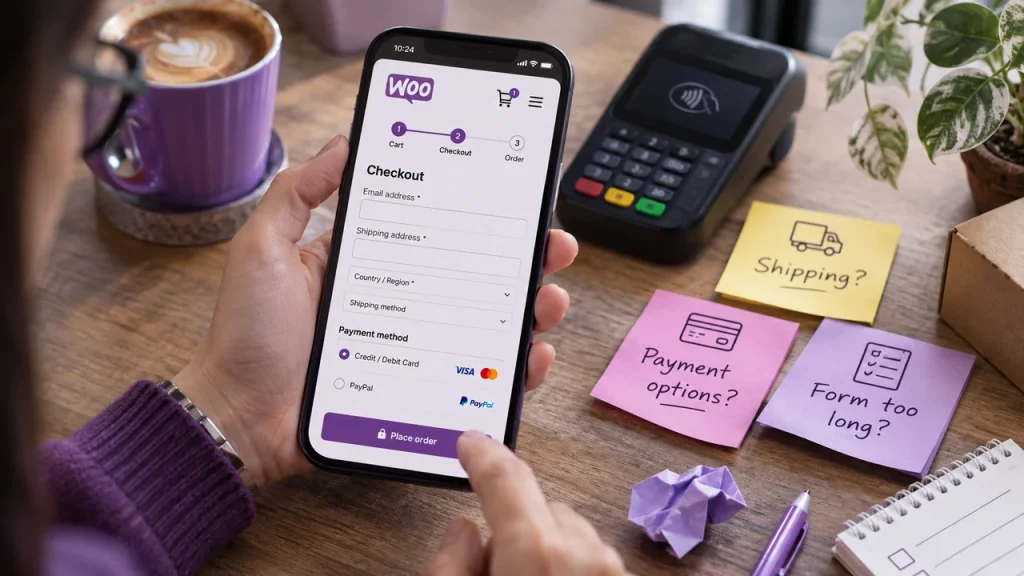
Not every abandoned cart needs another discount. Sometimes a shopper simply encounters an obstacle: an unexpected fee, a confusing field or a payment method that does not work on their device. A checkout audit can uncover these problems before you automate additional reminders.
1. Show the real total early
Surprise delivery costs near the final step can undermine trust. Make shipping estimates, taxes and other unavoidable fees clear before the buyer commits.
2. Keep forms proportional
Ask only for the details needed to process the order. Check whether optional fields are presented as mandatory and whether error messages tell buyers precisely how to fix a problem.
3. Test the mobile keyboard
On a phone, verify that postcode, email, phone and card inputs trigger sensible keyboards. Make sure menus, consent boxes and payment buttons stay visible without awkward zooming.
4. Test real payment scenarios
Run safe test transactions for each method you offer, including a declined or interrupted payment. Confirm that the customer understands what happened and can retry without accidentally ordering twice.
5. Make delivery promises specific
Avoid vague “fast delivery” language when available shipping methods, cut-off times or locations affect the estimate. Show the policy in plain language.
6. Keep recovery messages useful
A recovery email should link to the relevant cart, explain how to resume the order and provide help. Do not send the same reminder repeatedly without considering whether the customer has already purchased or opted out.
7. Compare the right numbers
Track checkout starts, payment errors, completed orders and recovery-generated orders separately. A conversion improvement after a checkout fix should not automatically be attributed to email reminders.
Pluginivo Abandoned Cart Recovery PRO supports automated follow-ups and cart restoration. Use such automation alongside, not instead of, a checkout that works reliably.
Run a mobile checkout test
Place a test product in the cart and complete checkout on a phone without using autofill. Count the required fields, check whether delivery costs appear before payment and confirm that errors explain how to correct them. Test at least one failed payment path in a safe test environment. Do not send additional reminder emails to compensate for a checkout that does not work.
Use a simple measurement sheet: step reached, issue observed, device type, expected behavior and owner of the fix. Recheck after theme, gateway and WooCommerce updates. An abandoned-cart email helps only after a customer has a functioning route back to checkout.
Next step: Explore Abandoned Cart Recovery PRO on Pluginivo or review the product documentation. Plugin features support your workflow; results depend on your store configuration and data.